Editing Your Blog
Logging into WordPress to edit your blog website
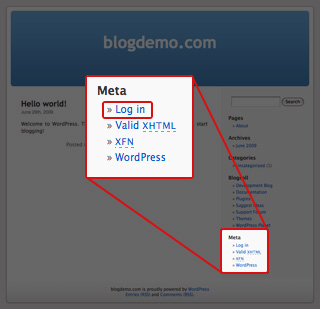
Whenever you want to write a new blog post, edit or delete and existing post or to change the appearance of your website you need to login to your WordPress account.
Your WordPress logins can be found in your JustHost welcome email.
To login to your WordPress account go to your new website which you just registered with Just Host and find the word Meta on the right side and click "Log In" or "Site Admin" found directly below this.
Writing a blog post
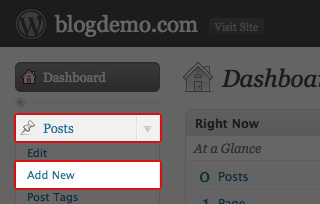
Once logged into the WordPress blog admin area click on the small grey arrow to the right of the word "Posts" on the top left.
A list should drop down and you will need to click on "Add New"
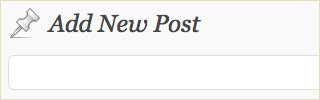
To edit the title of your blog click in the box at the top. You should make the title relevant to your blog post and try to keep it catchy and interesting.
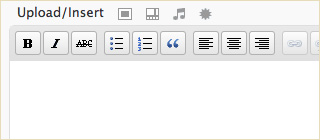
Then to edit the content of your blog click in the large box below this. Here you will write your blog. Like the title make the blog interesting to make people want to read your blog posts.
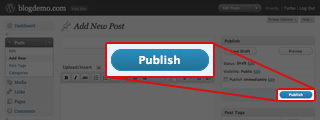
Once you are happy with what you have written click on the blue "Publish" button on the right.
You can follow these last two steps every time you want to write a new blog.
Updating an existing blog
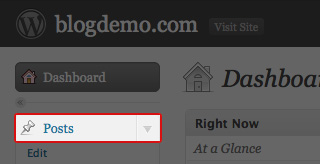
Once logged into the WordPress blog admin area click on "Posts" on the top left.
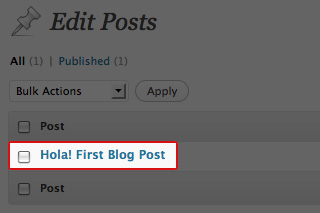
You will see all your blog titles are listed. Click on the blog post you wish to edit.
Here you can edit the title and the text of this blog.
Once you are happy with your changes click on the blue "Update Post" button on the right.
Your website will now be updated.
Viewing your website
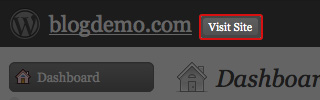
To view your website click on "Visit Site" which is next to your website name at the top of this page in the black section.
To get back to your blog editor, find the word Meta on your website and click on "Site Admin" which is directly below this.