This tutorial shows how to resolve issue with missing categories in Magento. The main reason that causing this issue is the incorrect category level in the listing.

Open your Magento admin panel and go to Catalog > Manage categories.
As you can see in the left column all categories used in the store are the child categories for the Default Category
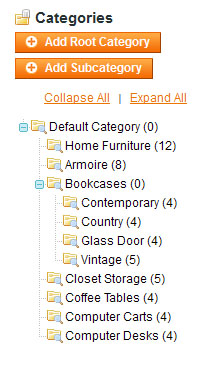
If you somehow added a category to the incorrect place you can drag it to the correct one.