This tutorial shows how to manage categories in OpenCart. First of all you need to access OpenCart administration panel. In the browser address bar type your_domain_name/admin
From the top menu select Catalog > Categories
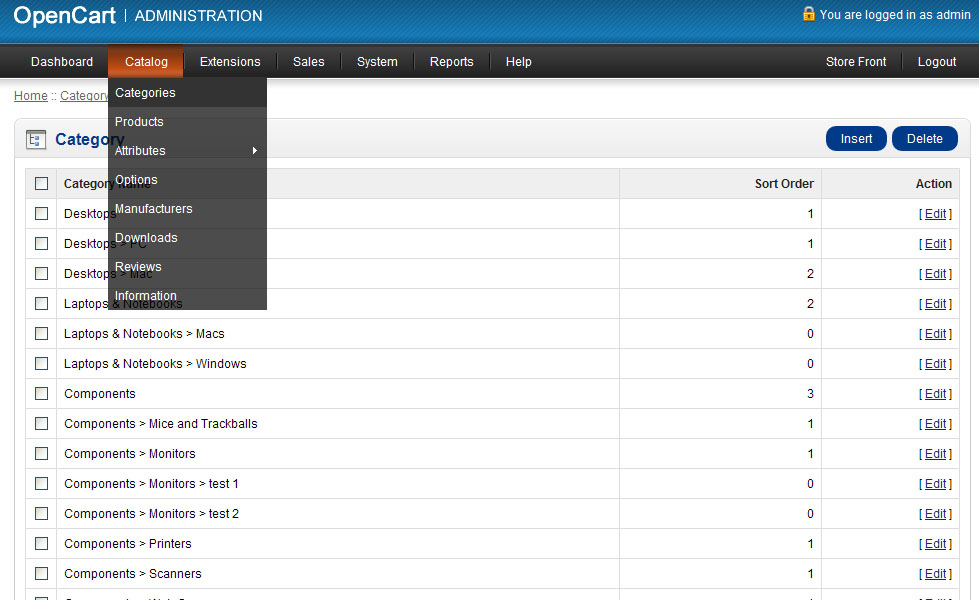
Use the buttons in the right corner to add new category or delete existing one.
In order to edit category click Edit link from the right column.
Category info page allows you to adjust various category settings
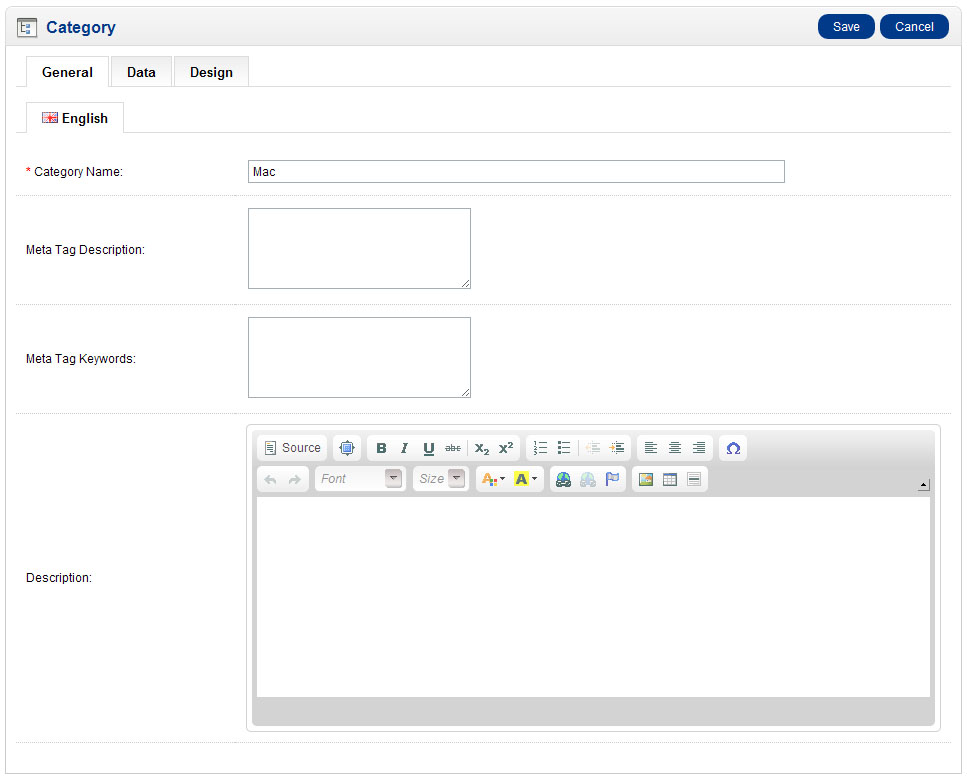
Use the tabs at the top to access different category options.
When you are done editing category click Save button at the top to keep your changes.
Feel free to check the detailed video tutorial below: