

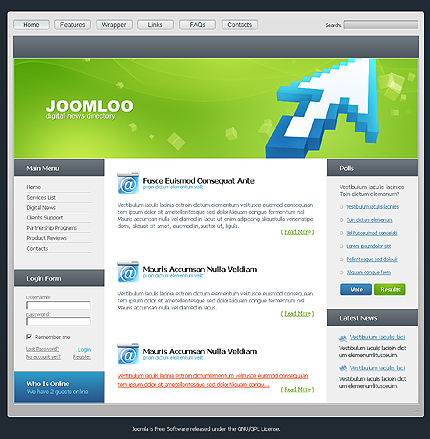
Template Description
Template ID: 19914
Joomla! CMS is a free, open source and one of the most popular content management systems (CMS) of nowadays for managing a websites’ content through a simple and functional interface – you need no coding skills.
Joomla template is a design for this CMS. No one wants to manage all of their content changes and additions from the source code. CMS saves your time, effort and a lot of money, which makes it a very good investment. And the Joomla! CMS platform is a great variant due to its convenience and functionality.
This free Joomla Template will help you to evaluate the quality of our products and try your skills before purchasing. Feel free to view and download it free of charge for your education and use – but please note – there are conditions associated with using this free Joomla Template.
Sources Available
.PSD;.CSS;.PHP
Software Requirements
To use this product you should have the following software installed on your computer.
- An HTML/PHP/CSS editor such as Adobe Dreamweaver, Microsoft Expression Web, etc.
- Macromedia Flash 8 or higher (if flash animation included)
- Adobe Photoshop CS or higher
- Joomla engine
Here is a list of software recommended for use with this product.
- Adobe Dreamweaver 8
- Adobe Flash CS3(if flash animation included)
- Adobe Photoshop CS
- Joomla engije
Note:Please check the template preview page to see the specific template requirements. The required program versions could be different from the listed above.
Template Features:
- Cross browser
- Full support of default Joomla features
- Flexible layout
- High quality photos
- Unique Design
- Etc
Template Files Structure
You have received your Joomla Template .ZIP package and unpacked it. Let’s see what we have inside.
“screenshots” – contains screenshots of the template.
“joomla” – contains the Joomla installation package
- “theme###” – contains the Joomla theme core and layout files(.php, .xml, .css files and images);
“sources” – contains source files
- “clipart_library” – contains free clipart .PSD files – all the elements are arranged in several files.
- “flash” – contains .FLA source file(s).[optional]
- “fonts” – contains all the fonts used in .PSD and .FLA files – True Type (.TTF), Adobe fonts (PFB\PFM), or both.[optional]
- “psd” – contains Adobe Photoshop .PSD files.
Note: For security reasons the sources folder is in a zipped file and is password protected. To uncompress a password protected ZIP file you will need to have a zip file utility program installed and the correct password. As soon as the zip file begins to uncompress, you will be prompted to type in the password. The password is the ID number of your order. You can find this number on the order page which we provided to you through a link that we sent to you via the email.
Please, help us preserve the quality and uniqueness of our products by not uploading the sources folder either zipped or unzipped to the server.
