
Just Host Web Hosting Help
Publishing with iWeb 09
Summary
iWeb is Apple's WYSIWYG website builder. While originally designed to with MobileMe Apple has added the ability to publish your site using FTP, meaning you can publish your site directly to your Just Host hosting account.
Publish to a Folder
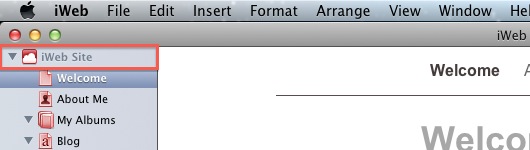
- Click the Site Name (on the left hand side of iWeb)
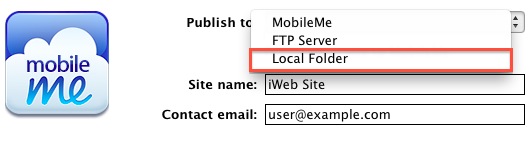
- Under "Publish to:", choose local Folder
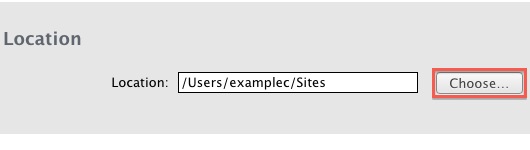
- Choose the folder where you will publish your site (Default would be the Sites folder.)
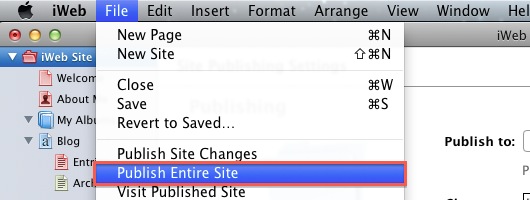
- From File choose "Publish Entire Site"
- Open your preferred FTP Client (CyberDuck is being used in this example)
- Click Open Connection
- Enter your domain name for the Server
- Enter your cPanel Username
- Enter your cPanel Password
- Expand More Options
- Enter the Path of public_html, or public_html/addon for the addon domain
- Click Connect
- Drag the files located within your website's folder into CyberDuck
Publish via FTP
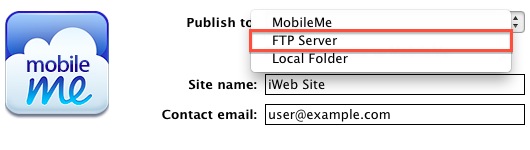
- Click the Site Name (on the left hand side of iWeb)
- Choose FTP Server
- Enter the Contact email address
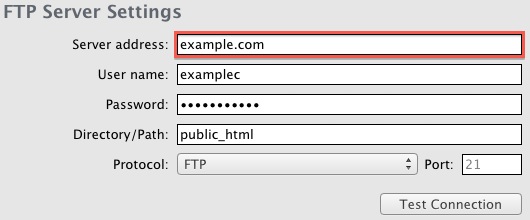
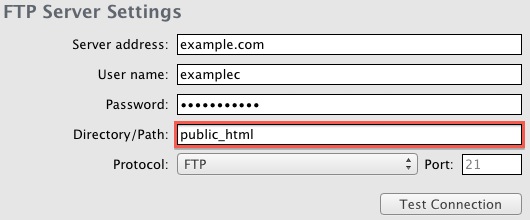
- Enter the Server address
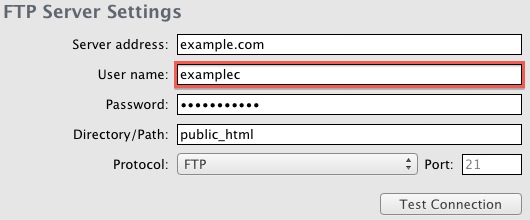
- Enter the cPanel User name
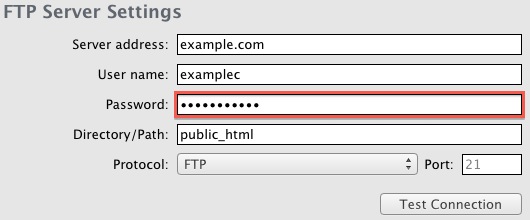
- Enter the cPanel Password
- Enter public_html for the main site, or public_html/addon for the add-on domain
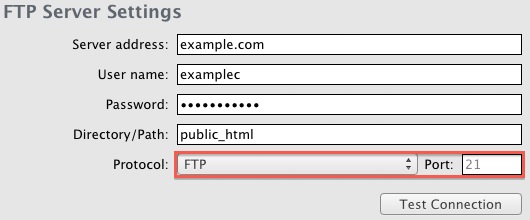
- Choose FTP as the Protocol
- Enter the domain name for the Website URL
- From File choose "Publish Entire Site"
 18,717 views
 bookmark
 share
share
 E-mail
 Twitter
 Google Bookmarks
 Facebook
 MySpace
 Digg
Digg Reddit
 Delicious
 LinkedIn
 StumbleUpon
 tags:
tags: Recommended Help Content
How to publish a site created in iWeb 08 (updated 582 days ago)
How do I publish my Web site using Publisher? (updated 425 days ago)
How can I publish my site using NVU? (updated 425 days ago)
Related Help Content
I created a website using BlueVoda and now I want help publishing it. (updated 1380 days ago)
How do I upload my page to your server using FTP on a Mac? (updated 495 days ago)
What are the publish settings for Web Easy Professional ? (updated 1410 days ago)
Publish with NVU site builder (updated 1381 days ago)
These steps will help you setup FrontPage® to be compatible with different web browsers and to be able to publish using FTP, so that you don't have to rely on the FrontPage® extensions. Select Tool (updated 44 days ago)
How do I upload my web site? (updated 576 days ago)
Can I FTP to My Account if I Have Front Page? (updated 638 days ago)