
Just Host Web Hosting Help
How To Migrate An Existing Wordpress.com Site
Migrating an Existing WordPress.com Site
If you would like to get started but don't have an account you can sign up for one at Justhost.com.
This article can assist if the WordPress blog is hosted on WordPress.com. Just follow these steps to export and import the data.
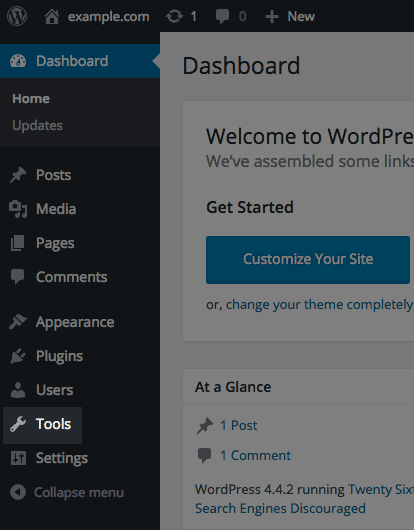
- Login to the WordPress Dashboard.
- Click Tools.
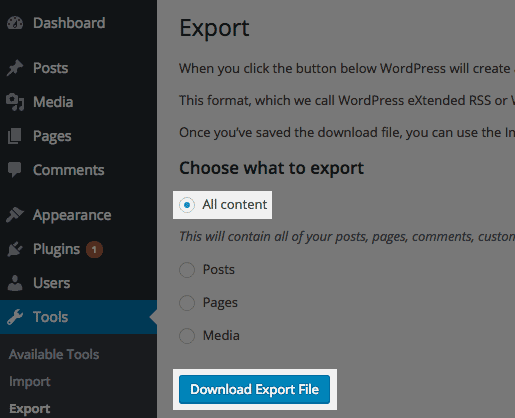
- Click Export.
- Click Download Export File.
- Login to the WordPress Dashboard at the new domain name.
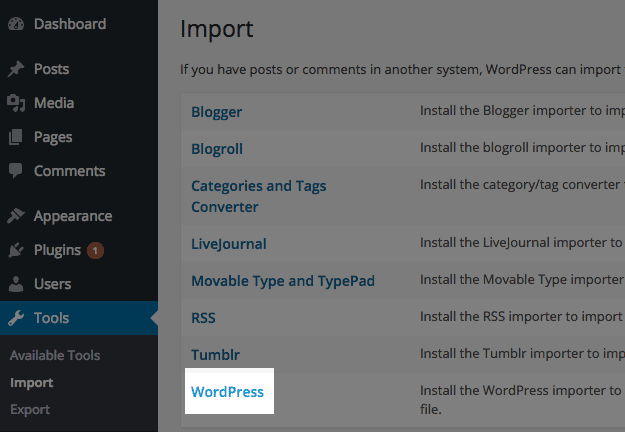
- Click on Tools and then select Import.
- Scroll down the page to the bottom.
- Click the link that says WordPress.
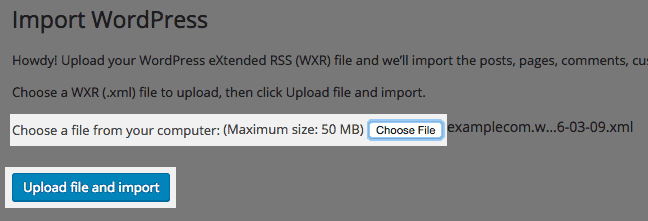
- Click Browse and open the file that was exported.
- Click Upload file and import.
- Create or select the author for all posts.
- Mark the checkbox for import file attachments.
- Click Submit.
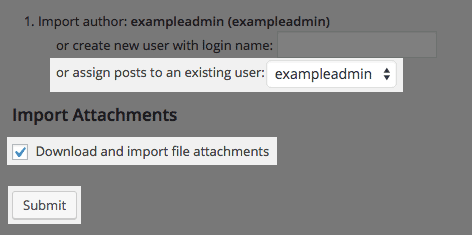
The WordPress blog has now been imported.
Some larger sites require you to increase the PHP memory, upload size and execution time. If you run into a memory issue importing a large file please see How to Increase the PHP Memory Limit
If you would like to get started but don't have an account you can sign up for one at Justhost.com.
 590,041 views
 bookmark
 share
share
 E-mail
 Twitter
 Google Bookmarks
 Facebook
 MySpace
 Digg
Digg Reddit
 Delicious
 LinkedIn
 StumbleUpon
 tags:
tags: Recommended Help Content
How to manually migrate a WordPress site, not using ManageWP.
How to Migrate a self hosted copy of WordPress
This article will explain how to login to a website created with WordPress.
Related Help Content
We provide a program which makes it very easy to install third party scripts to your hosting account. If you want your website to have a WordPress blog, you can use MOJO Marketplace to install WordPress.
This article will explain how to login to a WordPress site using WordPress tools.
I get permission denied errors when I try to run certain commands in mysql.
This article will explain how to change the Site URL or Home URL setting in WordPress. This may be useful if you have moved your WordPress site or are planning to move your WordPress site.
Install Plugins These steps will help you install and select a WordPress plugin for your blog. Inside the WordPress Dashboard, select the Add New link from the Plugins menu. You can search for a plug
How to move WordPress from one folder to another folder on the same server.
Learn how to use WordPress, WordPress started as just a blogging system, but has evolved to be used as full content management system and so much more through the thousands of plugins, widgets, and themes now available.
Instructions on how to migrate over via WordPress