
Just Host Web Hosting Help
VPS or Dedicated Hosting - Configure the Default Sender Address
By default, the server's automated messages will be sent from the user at the server (i.e. user@server.com). To customize the default sender address,
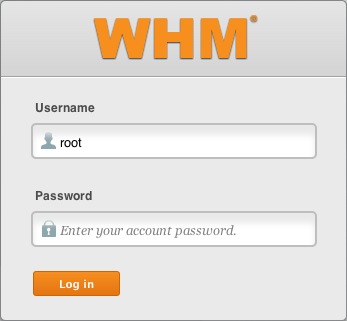
- Log in to WHM.
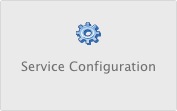
- Click on the Service Configuration icon.
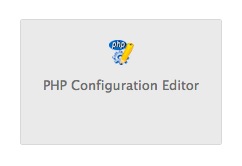
- Click PHP Configuration Editor.
- Select Advanced Mode.
- In the Mail section, modify the sendmail_path value. For example, if you want your default sender address to be john@example.com, modify the value to be: /usr/sbin/sendmail −t −I −f 'john@example.com'
- Click Save.

 bookmark
 share
share
 E-mail
 Twitter
 Google Bookmarks
 Facebook
 MySpace
 Digg
Digg Reddit
 Delicious
 LinkedIn
 StumbleUpon
Recommended Help Content
How to set the default sender address, on a Dedicated Hosting account.
How do I change my contract length?
If you need to transfer or restore a cPanel account for your VPS or Dedicated server, there is a tool within the WHM panel to perform these tasks. This article is about transferring or restoring from another server or restoring after a re-image.
Knowledgebase Article
 11,405 views
 tags: backup cpanel dedicated hosting restore server transfer vps
11,405 views
tags: backup cpanel dedicated hosting restore server transfer vps
Related Help Content
CSF is a firewall for VPS and Dedicated servers. CSF is not installed as part of our default images on VPS or Dedicated servers. This article describes how to install it yourself or request support do so.
How to assign a dedicated IP to a domain on a dedicated server.
Sender Policy Framework records, or SPF records are a type of DNS record used to identify which mail servers should be allowed to send email from a certain domain name.
Prices for Dedicated Hosting and Dedicated related addons
VPS and Dedicated customers with servers running the CentOS 6 operating system will not be able to upgrade cPanel past version 86. The cPanel team will still support CentOS 6 with cPanel 86 until March 31st, 2021.
Knowledgebase Article
13,088 views
tags: centos cpanel dedicated hosting private server upgrade virtual vps
13,088 views
tags: centos cpanel dedicated hosting private server upgrade virtual vps
This article will explain how to configure your dedicated or VPS server to use the new (non legacy) backup system.
VPS and Dedicated servers come with all applications necessary to run a standard web and email server. The applications that come with the VPS and Dedicated servers are generally supported as-is by our support technicians.
Knowledgebase Article
10,959 views
tags: application configserver csf dedicated django elastisearch ffmpeg java js litespeed mongodb nginx node private python server tomcat virtual vps
10,959 views
tags: application configserver csf dedicated django elastisearch ffmpeg java js litespeed mongodb nginx node private python server tomcat virtual vps
I am having problems with being spammed. I believe that my email address has been harvested (taken off my site and sold to spammers). Can I hide my email address, but still have people email me?