
Just Host Web Hosting Help
Restarting Mail Services on Dedicated or VPS Servers
Overview
This article will explain how to restart the email related services on a Dedicated or VPS server. This may be useful if you are experiencing trouble with your email.
Steps Involved
Click on any of the steps to jump to that point in the walkthrough and see more details.
Login To The WHM
You will need to be able to login to WHM on your server. This requires knowing the root password for your server. If you don't know the root password or haven't set one up, please see https://my.Justhost.com/hosting/help/whm-login#root-password.
- Login to the WHM by going to yourdomain.com/whm in a browser. Replace yourdomain.com with your domain.
- Once you get to the login page, enter your username and password.
- Username will be root.
- Password will be the root password for your server. If you don't know the root password or haven't set one up, please see https://my.Justhost.com/hosting/help/whm-login#root-password.
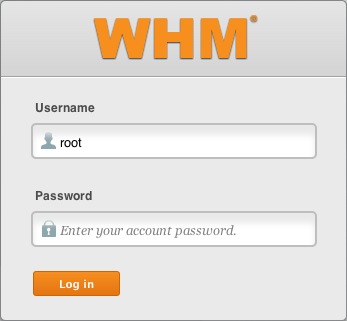
The WHM login page. - If this is your first time logging into the WHM, you may see a page titled "Feature Showcase". Click on Exit to WHM at the bottom of the page.
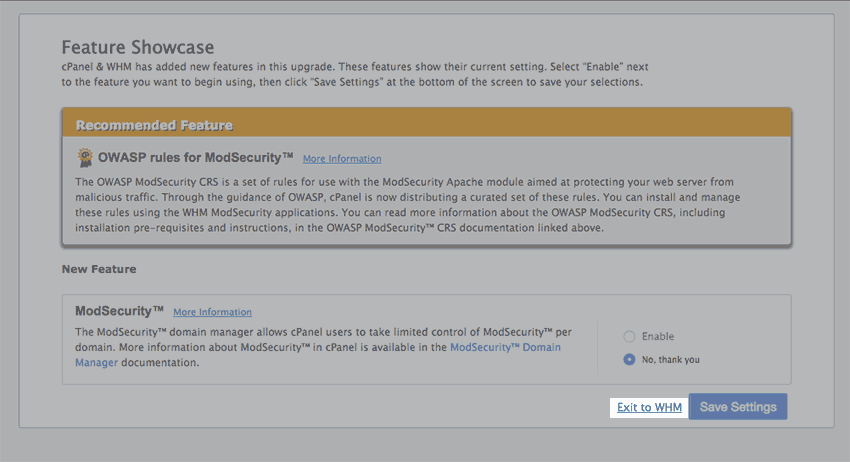
The Feature Showcase page with "Exit to WHM" spotlighted.
Performing The Restart
- In the top left search bar type "restart"
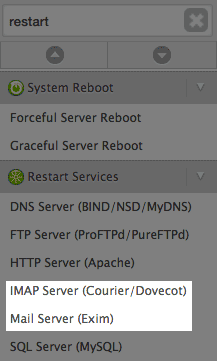
Searching restart in the WHM. - Click the "Mail Server (Exim)" link.
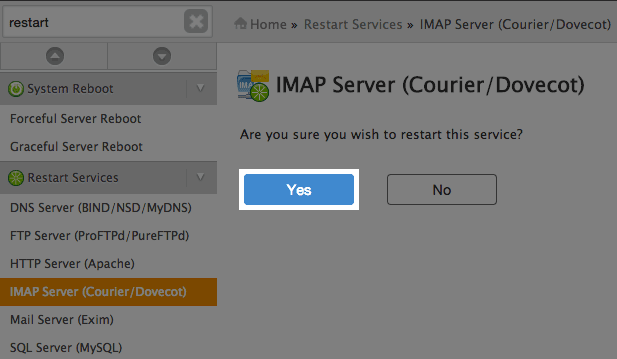
- Click the Yes button to restart.
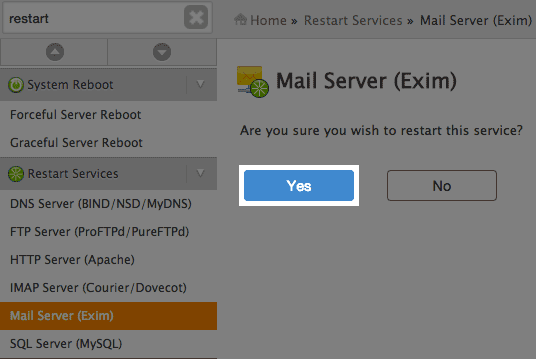
The Exim restart screen. - Wait for the restart to finish. Then, follow the same procedure to restart the IMAP Server (Courier/Dovecot) service.
Knowledgebase Article
 20,480 views
 bookmark
 share
share
 tags: dedi dedicated dovecot exim mail restart vps whm
20,480 views
bookmark
share
 E-mail
 Twitter
 Google Bookmarks
 Facebook
 MySpace
 Digg
Digg Reddit
 Delicious
 LinkedIn
 StumbleUpontags: dedi dedicated dovecot exim mail restart vps whm
Recommended Help Content
This article will explain how to view the email logs on a Dedicated or VPS server. This may be usefull if you are experiencing trouble with your email.
This article will explain how to restart your Dedicated or VPS server.
This article will explain how to clear the outbound mail queue on a dedicated or VPS server.
Related Help Content
This article will explain some common causes for 500 errors on Dedicated or V.P.S servers.
How to modify the Exim Port (Mail Transfer Agent) in the WHM
This article will explain how to view the outgoing email queue or exim queue in SSH.
This article will explain how to create and manage users on Dedicated or VPS servers.
What to do if an IP on your VPS or Dedicated server is blacklisted.
This article will explain how to configure your dedicated or VPS server to use the new (non legacy) backup system.
How to setup name servers for multiple cPanel accounts.
Knowledgebase Article
110,943 views
tags: accounts custom dedicated multi multiple nameservers server servers
110,943 views
tags: accounts custom dedicated multi multiple nameservers server servers
This article will explain how to disable SSLv3 on a VPS or Dedicated server. This can help you avoid issues with vulnerabilities in SSLv3.