
Just Host Web Hosting Help
How To Import Mail into G Suite (formerly Google Apps)
Overview
This article will explain how to import email from your Just Host email accounts to a G Suite (formerly Google Apps) account.
Importing Mail
- Login to your Google Dashboard.
- Click on the Migrations Icon.
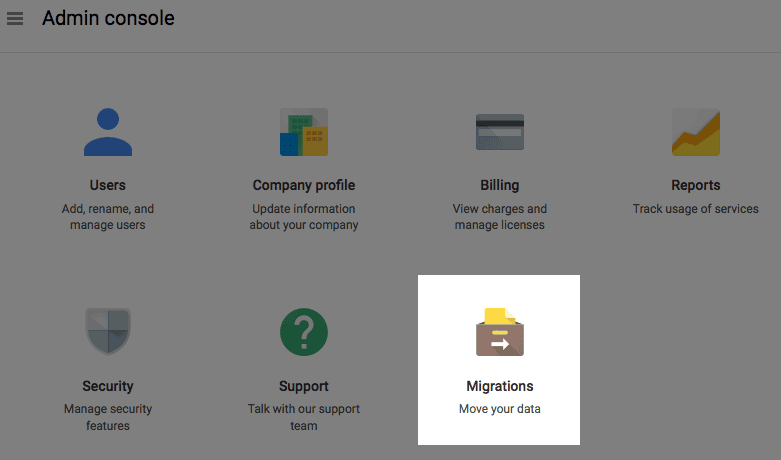
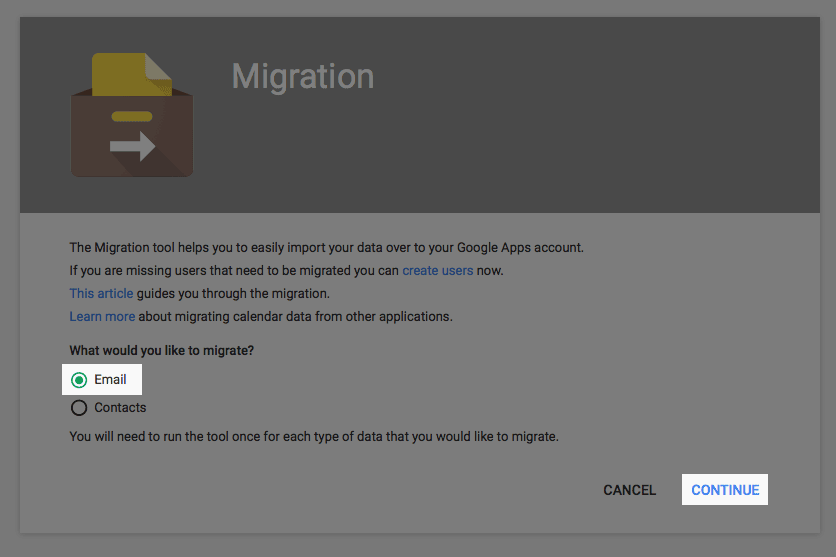
The migrations icon. - Select Email and click Continue.
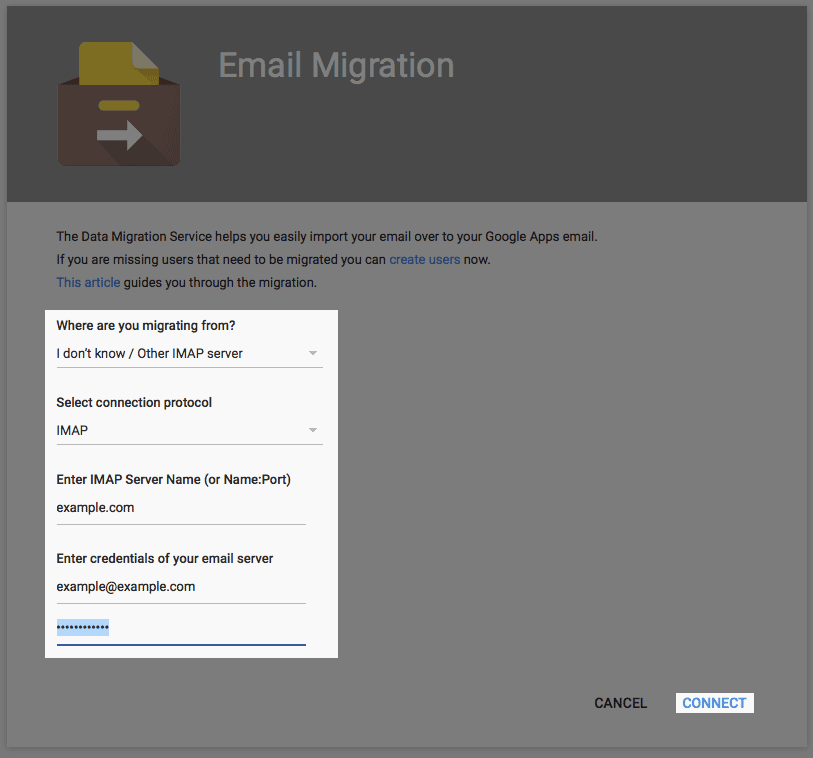
The migrations icon. - Enter the information for the email account you want to import and click Connect.
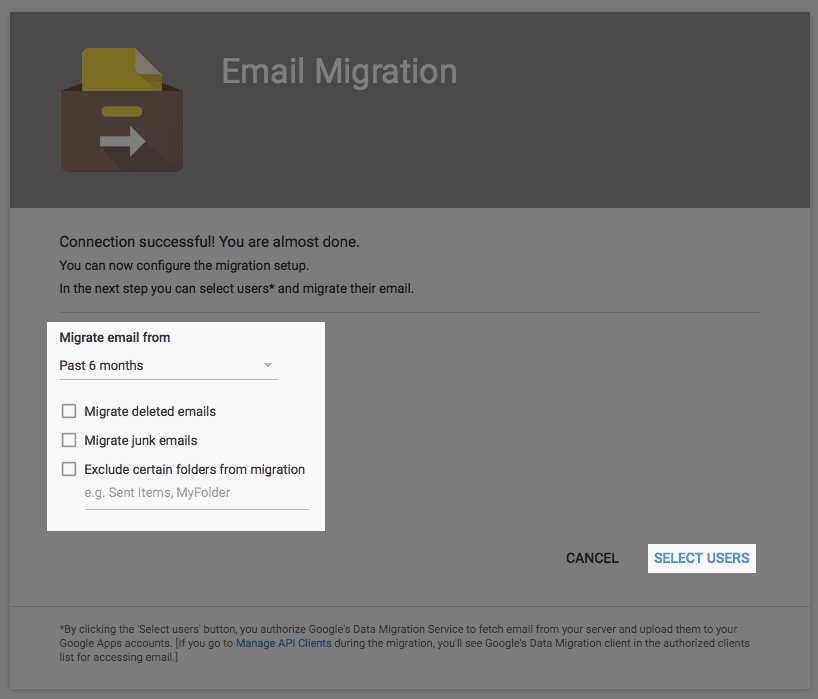
Connection settings. - Select which email you would like to import and click Select Users
Selecting what mail to import. - Choose the user account you would like the mail to be added to, then press the play icon.
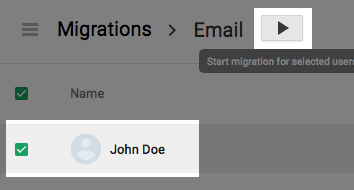
The user selection page.
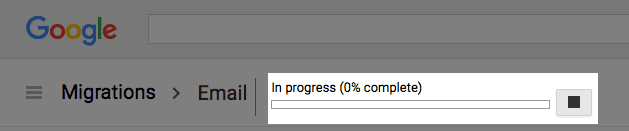
The import should commence and you should see a progress indicator. When it finishes you will have access to the transferred mail in your google account.
 bookmark
 share
share
 E-mail
 Twitter
 Google Bookmarks
 Facebook
 MySpace
 Digg
Digg Reddit
 Delicious
 LinkedIn
 StumbleUpon
Recommended Help Content
How to increase your productivity with G Suite (formerly Google Apps for Work)
Learn how to check your email accounts from within Gmail. This tutorial will show you how to setup a POP account in GMail.
Windows Live Mail combines the ease of use of Outlook Express, with the speed of Windows Live. This tutorial will show you how to setup your email account in Windows Live Mail.
Related Help Content
This article will explain how to setup an email account in the Windows 10 mail application.
2003 for Windows. While it can be used for other versions of Outlook, some screens and steps might vary. Select the 'Tools' menu. Select Accounts. Click on the "Add a new E-mail account" op
Learn how to create an email account associated with your domain name
How to use use the FTP Account tool to create additional FTP Accounts. This is useful for granting FTP access to your account without giving anyone your cPanel password.
Video "How-to" Tutorial
 983,706 views
 tags: account accounts cpanelutilities ftp login publish upload
983,706 views
tags: account accounts cpanelutilities ftp login publish upload
This article will explain where email is stored in your system directory.
Where do I Change my Mailbox (Size) Quota? How do I Increase or Decrease Mailbox (Storage) Quota?
How to setup your Just Host-hosted email address with an email application.
How to set up an email account on a legacy Android-based device.