


 Log In | Register


Despite GoToMeeting being fairly easy and straight forward, this article will provide you with instructions, along with a couple screen shots, so you know what to expect when first joining a Newsvine Photographers virtual-vinemeet meeting.
Click the link. The link and meeting ID are located in the group discussion tab (click the Newsvine Photographers tab directly above the comments section), or you may e-mail me for the information.
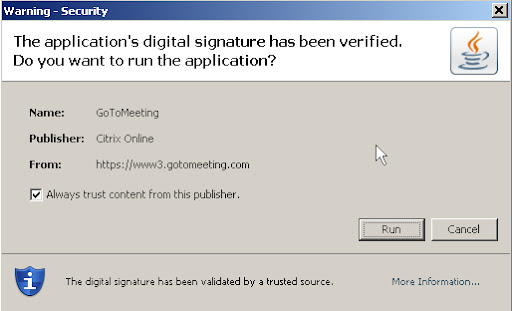
If prompted, you'll want to click run:
You will then be asked to enter your name and e-mail address:

You do not need to enter an email address.
Once loaded, which can take a few minutes, you will see this on your screen:
If someone is sharing their screen, you will see exactly what they see instead.
That's it! The meeting has begun. You should see on the right an attendee list, audio area (which says who's speaking), and a chat box. If you wish to use voice, you will need a headset. There are no special audio settings if using only text chat.
Note: Once screen sharing begins, it's possible the GoToMeeting box will collapse. If this happens, click on the red arrow so you can still see the chat window.


