In order to edit your footer menus, login to your admin panel, navigate to Tools->Ez-Pages.
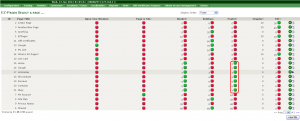
Here you can see all the pages located in your footer area:
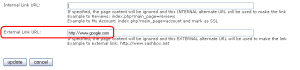
To create an external link for your footer menu, Edit any EZ-Page, delete internal link and type any external link in the External Link URL: field:
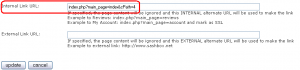
To create an internal link and put it to our footer, navigate to any page of your store and copy all the the text that comes after your site URL:

Paste it in the Internal Link URL field:
In order to edit your copyright info, open the file ‘english.php‘, located in the ‘includes/languages‘ folder on your server.
Feel free to check the detailed video tutorial below: