
Just Host Web Hosting Help
WordPress: Enabling XML-RPC
Summary
This article will explain how to enable XML-RPC from within the WordPress Admin Dashboard. XML-RPC is need to make posts from a desktop client or the justhost Enage panel.
Logging into the WordPress Dashboard
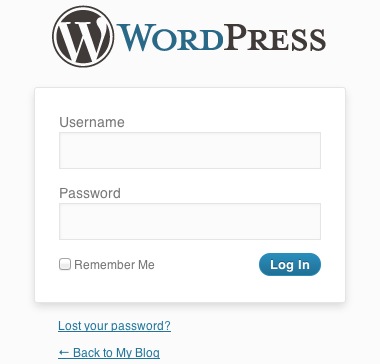
- Login to the WordPress Dashboard by visiting your blog, and adding wp-admin to the end of the URL.
- Enter the admin Username and Password.
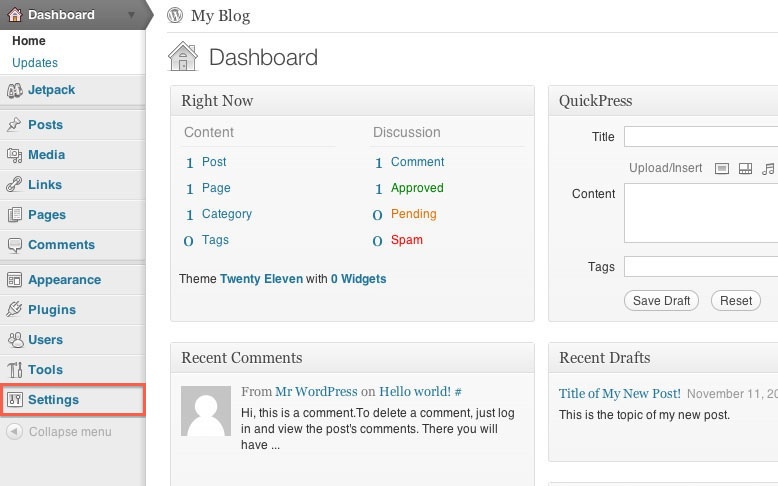
- This will bring up the WordPress Dashboard.

Enabling XML-RPC
Once you are logged into WordPress you will need to enable XML-RPC.
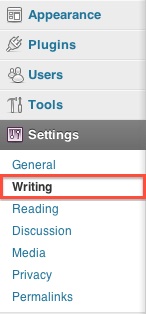
- Choose Settings
- Click Writting
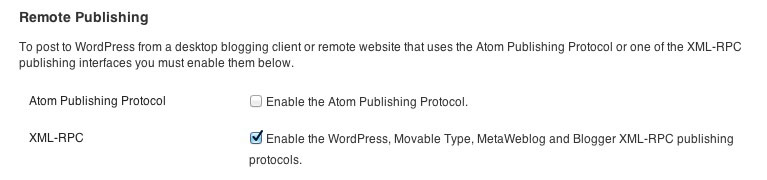
- Under Remote Publishing enable XML-RPC
 8,969 views
 bookmark
 share
share
 E-mail
 Twitter
 Google Bookmarks
 Facebook
 MySpace
 Digg
Digg Reddit
 Delicious
 LinkedIn
 StumbleUpon
 tags:
tags: Recommended Help Content
If you have a WordPress blog hosted on wordpress.com, you can easily export it and import it to WordPress that is installed on your hosting account with justhost. Login to the WordPress D (updated 652 days ago)
Have FrontPage extensions and Wordpress installed on account. Was working fine in the past, but now cannot connect with FrontPage and Wordpress does not link properly. (updated 461 days ago)
Tips and tricks to make your wordpress blog load faster (updated 190 days ago)
Related Help Content
Instructions on how to migrate over via Wordpress (updated 45 days ago)
How to update WordPress Plugins (updated 790 days ago)
Prevent Spam These steps will help you prevent users and robots from posting Spam on your WordPress blog. Inside the WordPress Dashboard, select Settings in the navigation bar on the left. From the G (updated 691 days ago)
My Wordpress site is slow or seems down. (updated 833 days ago)
Install Plugins These steps will help you install and select a WordPress plugin for your blog. Inside the WordPress Dashboard, select the Add New link from the Plugins menu. You can search for a plug (updated 821 days ago)
Install Themes These steps will help you install and select a WordPress theme for your blog. Inside the WordPress Dashboard, select the Add New Themes link in the Appearance Menu. You can search for (updated 532 days ago)
How to use the Posts feature of the WordPress Dashboard (updated 24 days ago)
We provide a program which makes it very easy to install third party scripts to your hosting account. If you want your website to have a WordPress blog, you can use MOJO Marketplace to install WordPres (updated 44 days ago)