
Just Host Web Hosting Help
VPS or Dedicated Hosting - Modify Exim Port (Mail Transfer Agent)
Many ISPs (Internet Service Providers) block port 25. So, it is useful to have an alternate port that is available to use. Port 26 is open on all of Just Host's shared servers so you may already have it configured by default. Otherwise, to open an additional port or if you want to change the port,
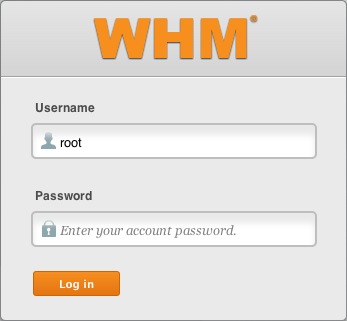
- Log in to WHM.
- Click on Service Configuration
- Click on Service Manager.
- Under exim, enable the SMTP Server.
- Under exim on another port, make sure the port is set to 26.
- Click Save.



Knowledgebase Article
 67,887 views
 bookmark
 share
share
 tags: dedicated exim outgoing port sending server whm
67,887 views
bookmark
share
 E-mail
 Twitter
 Google Bookmarks
 Facebook
 MySpace
 Digg
Digg Reddit
 Delicious
 LinkedIn
 StumbleUpontags: dedicated exim outgoing port sending server whm
Recommended Help Content
If you need to transfer or restore a cPanel account for your VPS or Dedicated server, there is a tool within the WHM panel to perform these tasks. This article is about transferring or restoring from another server or restoring after a re-image.
How can I change the outgoing SMTP port from 25 to 26?
This article will explain how to view the outgoing email queue or exim queue in SSH.
Related Help Content
This article will explain how to restart the email related services on a Dedicated or VPS server. This may be useful if you are experiencing trouble with your email.
This article will explain how to clear the outbound mail queue on a dedicated or VPS server.
This article will explain how to view the email logs on a Dedicated or VPS server. This may be usefull if you are experiencing trouble with your email.
VPS and Dedicated servers come with all applications necessary to run a standard web and email server. The applications that come with the VPS and Dedicated servers are generally supported as-is by our support technicians.
Knowledgebase Article
8,697 views
tags: application configserver csf dedicated django elastisearch ffmpeg java js litespeed mongodb nginx node private python server tomcat virtual vps
8,697 views
tags: application configserver csf dedicated django elastisearch ffmpeg java js litespeed mongodb nginx node private python server tomcat virtual vps
I need to be able to change the port used by Eudora for incoming or outgoing mail.
Explanation what SMTP settings are and guide on where to find them based on their client
To help with transferring of accounts from other servers to your account.
Knowledgebase Article
121,659 views
tags: account dedicated multi multiple reseller single transfer whm
121,659 views
tags: account dedicated multi multiple reseller single transfer whm
VPS and Dedicated customers with servers running the CentOS 6 operating system will not be able to upgrade cPanel past version 86. The cPanel team will still support CentOS 6 with cPanel 86 until March 31st, 2021.
Knowledgebase Article
10,165 views
tags: centos cpanel dedicated hosting private server upgrade virtual vps
10,165 views
tags: centos cpanel dedicated hosting private server upgrade virtual vps