
Just Host Web Hosting Help
Antivirus on Dedicated or VPS servers
Overview
If you suspect malicious content, hacks or a virus on your VPS/Dedicated account here are some tools located in your WHM that you can use.
WHM Settings
You will need to be able to login to your WHM, if you haven't done that before please see How to login in to WHM
- Login to the WHM by going to yourdomain.com/whm.
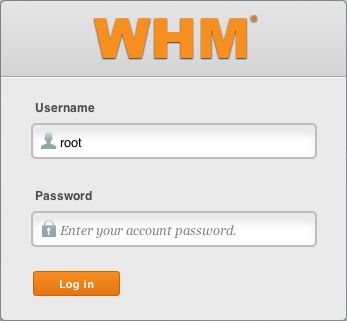
The WHM login. - If this is your first time logging into the WHM you may see a page titled "Feature Showcase". Click on Exit to WHM at the bottom of the page.
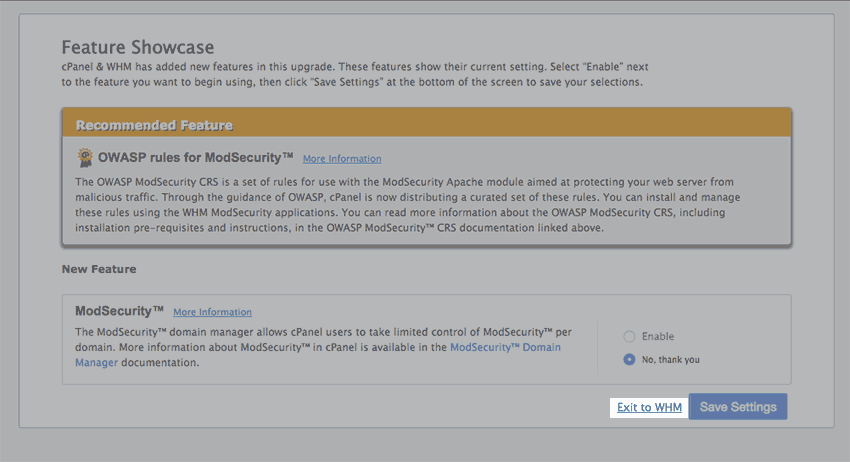
The Feature Showcase page with "Exit to WHM" spotlighted. - In the top left search bar type "Manage Plugins", then click on the
Manage Plugins link. Searching for manage plugins. - Under ClamAV click on "Install and keep updated" then scroll down and press save to start the install. This can take some time depending on how much CPU you have to spare.
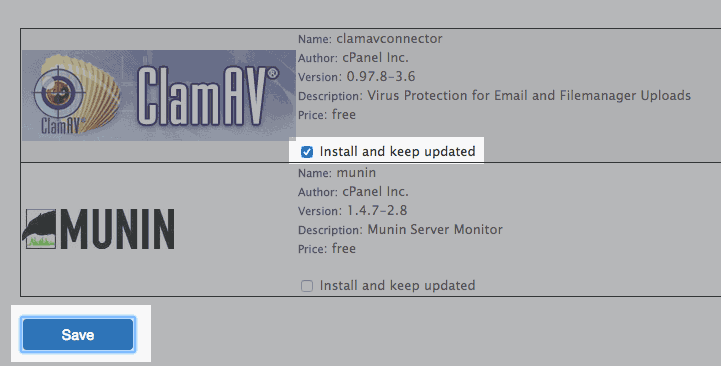
The Clam AV plugin install page. - Once the install is done perform another search for "Configure ClamAV Scanner". Go to the configuration page and make sure all boxes are checked.
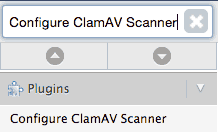
Searching for Clam AV. - Go to the Feature Manager.
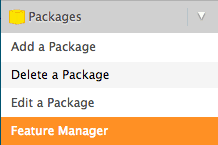
The feature manager in the WHM. - Edit the feature list to show "Virus Scanner".
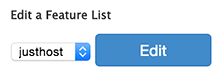
The edit list option in the feature manager. 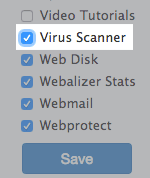
The Virus Scanner option in the Feature list. - Now you are ready to start the scan. From the cPanel, in the advanced group of icons, you should see an icon now called "Virus Scanner". Click on it.

The virus scanner icon. - Choose what you would like to scan. Keep in mind that "Scan Entire Home Directory" Would scan the entire Cpanel account however will use the most CPU and might result in slowness.
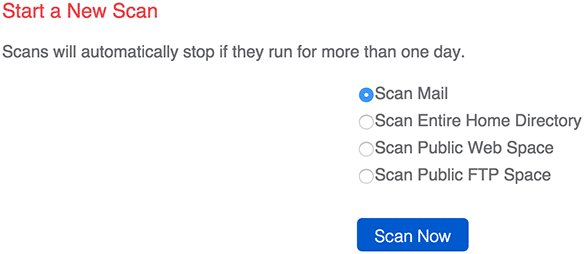
The virus scanner page.
Using systems like cloudflare can help block hackers before they can access your site as well.
Most of the vulnerabilities a hacker uses to gain access to your home directory or public_html folder are often located in your website scripts. Making sure scripts are up to date as well as any plugins and mods can be very helpful in keeping security tight on your system.
 bookmark
 share
share
 E-mail
 Twitter
 Google Bookmarks
 Facebook
 MySpace
 Digg
Digg Reddit
 Delicious
 LinkedIn
 StumbleUpon
Recommended Help Content
How to install ClamAV to help with virus protection.
This article will explain some common causes for 500 errors on Dedicated or V.P.S servers.
To help with transferring of accounts from other servers to your account.
Knowledgebase Article
 81,738 views
 tags: account dedicated multi multiple reseller single transfer whm
81,738 views
tags: account dedicated multi multiple reseller single transfer whm
Related Help Content
This article will explain how to create and manage users on Dedicated or VPS servers.
How to fix inaccessible backups on Dedicated or VPS servers due to backup size.
This article will explain how to configure your dedicated or VPS server to use the new (non legacy) backup system.
This article will explain how to restart the email related services on a Dedicated or VPS server. This may be useful if you are experiencing trouble with your email.
This article will explain how to clear the outbound mail queue on a dedicated or VPS server.
This article will explain how to view the email logs on a Dedicated or VPS server. This may be usefull if you are experiencing trouble with your email.
This article explains how to manager your ports through IPTables.