
Just Host Web Hosting Help
WebDisk utilizing the Just Host Public SSL
Summary
Webdisk allows you to "mount" your server space on your local computer. This allows you to drag and drop your website file on to our server from your desktop.
Note: Microsoft does not provide support for Webdisk in Windows 7.
WebDisk utilizing the Just Host Public SSL
Windows XP
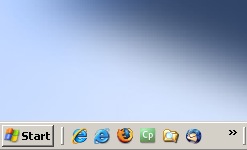
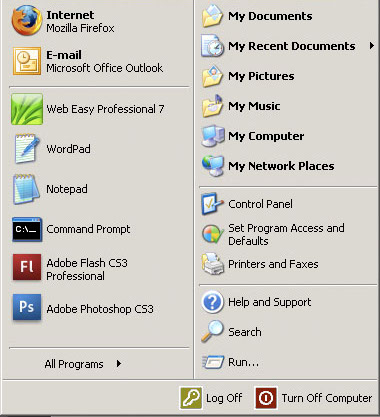
- From the desktop, click on Start and then My Network Places.
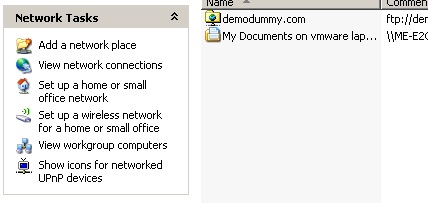
- Then, click Add a network place.
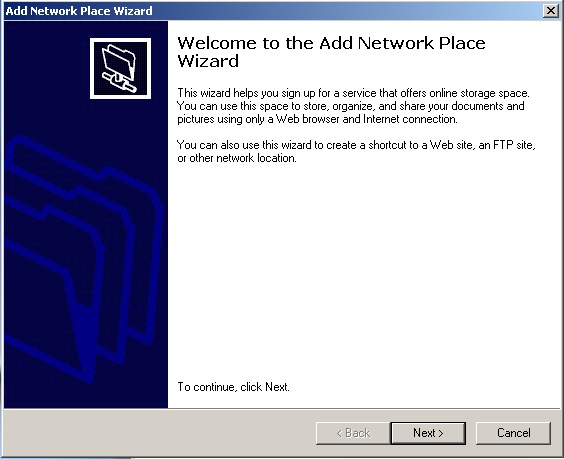
- A new screen will pop up reading Welcome to the Add Network Place Wizard, click Next.
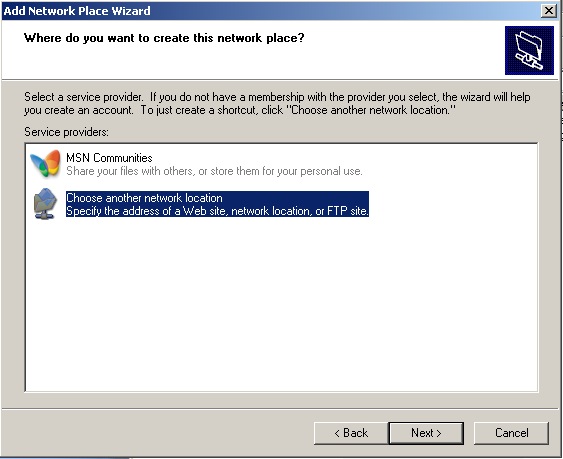
- Click Choose a custom network location, and then click Next.
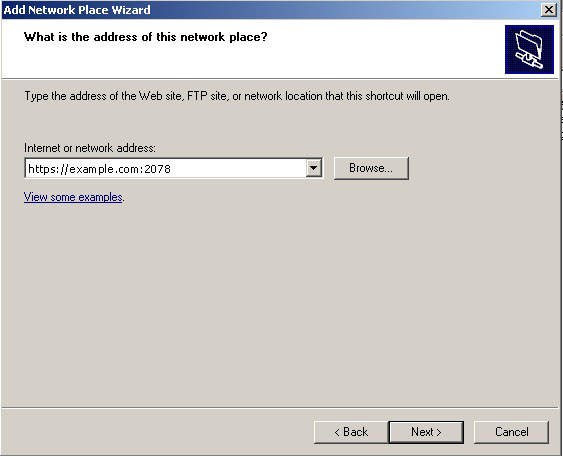
- Enter the following in the Internet or network address field: https://box###.Justhost.com:2078
- A Security Alert pop up will ask you if you want to proceed, click Yes.
- Another pop up will ask you to log in. In the User name: field the user for your Webdisk (ie. user@yourdomain.com). In the Password: field type in the password you created with your Webdisk user, press Ok.
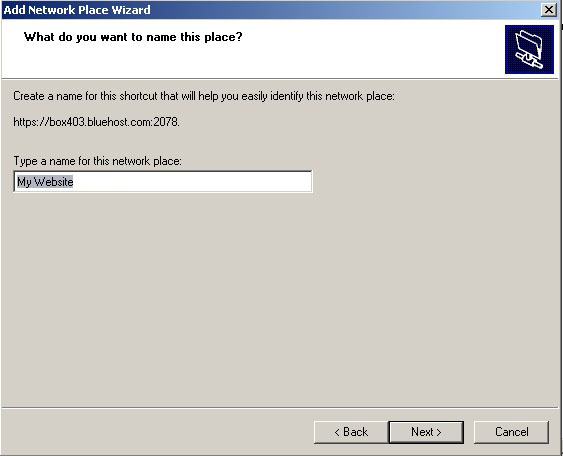
- You will then need to name the network place, name this anything you want. (ie. My Webdisk to 'foldername'). In the Type a name for this network place: field, type My Webdisk to 'foldername'. Replace 'foldername' with the folder name your Webdisk is accessing, click Next.
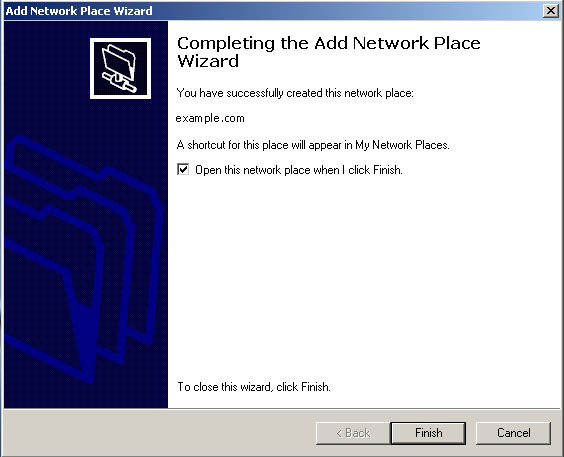
- You will then come to Completing the Add Network Place Wizard, click Finish.
- Finished! You're good to go.
Windows Vista
Note: Connecting to your Webdisk with Vista can be unreliable. There is a patch from Microsoft available. SSL support for WebDAV is not functioning properly in Vista yet. Please be patient as many connection attempts may be required.
Same instructions apply with the private SSL but instead of using the https://box###.Justhost.com:2078, you can also use https://www.yourdomain.com:2078. Make sure to replace 'yourdomain' with your actual domain name.
Knowledgebase Article
 70,179 views
 bookmark
 share
share
 tags: disk layer secure set setup socket upload web webdav
(updated 388 days ago)
tags: disk layer secure set setup socket upload web webdav
(updated 388 days ago)
70,179 views
bookmark
share
 E-mail
 Twitter
 Google Bookmarks
 Facebook
 MySpace
 Digg
Digg Reddit
 Delicious
 LinkedIn
 StumbleUpontags: disk layer secure set setup socket upload web webdav
(updated 388 days ago)
StumbleUpontags: disk layer secure set setup socket upload web webdav
(updated 388 days ago)
Recommended Help Content
This article will explain how to access and use the Web Disk and cPanel as well as explain variations for different operating systems. (updated 190 days ago)
How do I setup CuteFTP 8.2 for FTP? (updated 423 days ago)
How do I upload my web site? (updated 574 days ago)
Related Help Content
General Information about SSL Certificates (updated 194 days ago)
Knowledgebase Article
103,654 views
tags: accept card cert certs credit ecommerce encryption layer online payments secure shopping socket
103,654 views
tags: accept card cert certs credit ecommerce encryption layer online payments secure shopping socket
How to create a Network Folder in Windows Vista and 7 (updated 194 days ago)
How to renew an existing SSL certificate--or purchase a new one, within your cPanel (updated 344 days ago)
I would like to view the statistics for my website. (updated 395 days ago)
Knowledgebase Article
79,961 views
tags: addon domain enable hits set setup statistics stats subdomain visitors web
79,961 views
tags: addon domain enable hits set setup statistics stats subdomain visitors web
How do I use a secure FTP connection? (updated 257 days ago)
Learn how to find out how much of the unlimited disk space you have used. (updated 381 days ago)
What is a Public IP Address? (updated 382 days ago)