
Just Host Web Hosting Help
Outlook 2011
Summary
This article will show you how to setup email in your Outlook 2011 email client.
How to create a new email account
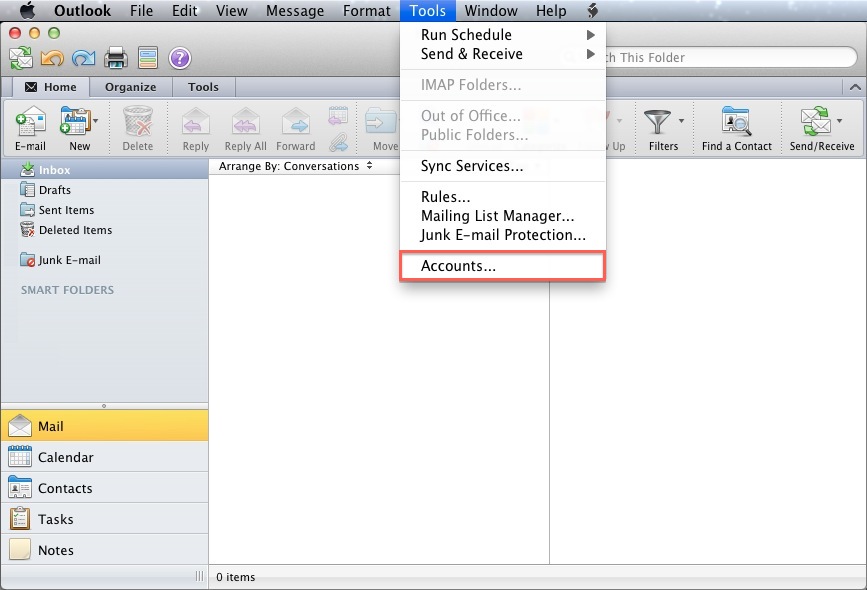
- Open the Tools menu
- Click Accounts
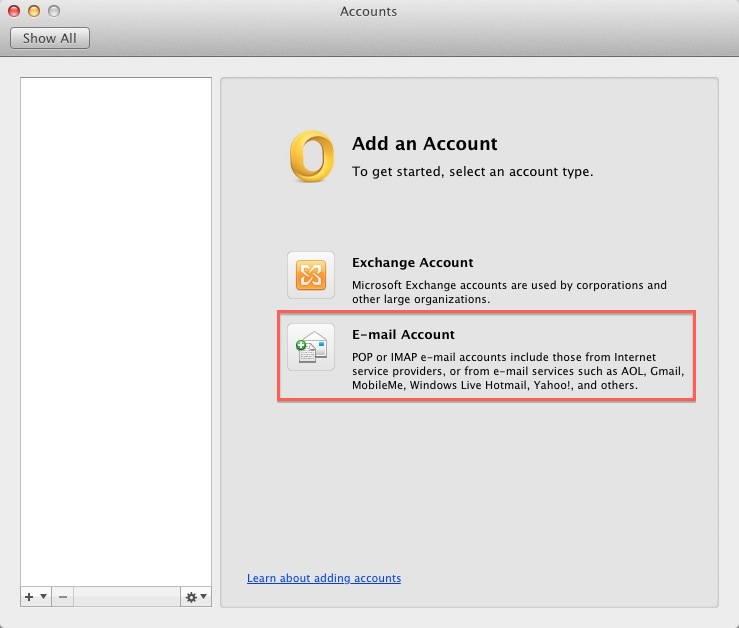
- Click E-mail Account
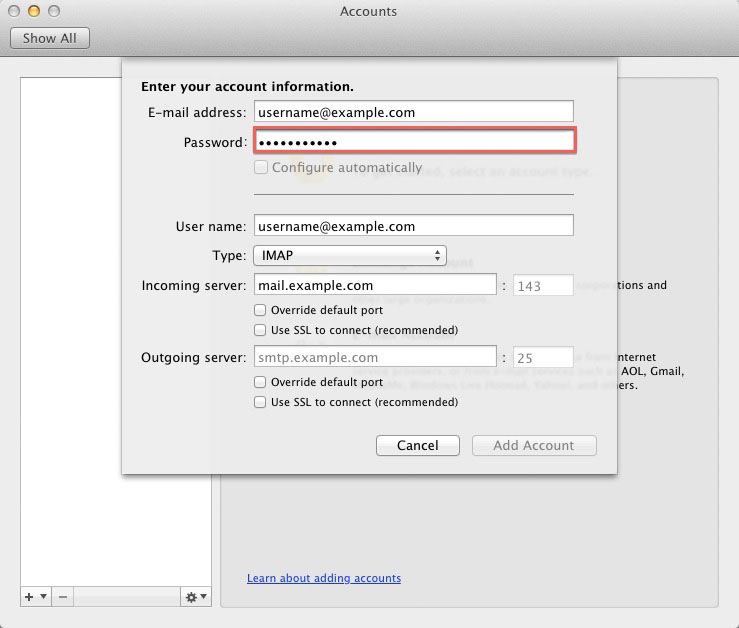
- Enter your E-mail address
- Enter the passowrd for this E-mail account.
- User Name: Your email address.
- Incoming server: This is typically your domain name preceded by "mail.". This can be found in the E-mail Accounts section of the cPanel, under More > Configure Mail Client.
- Outgoing Server: This is the same as the Incoming server.
- Click Add Account.

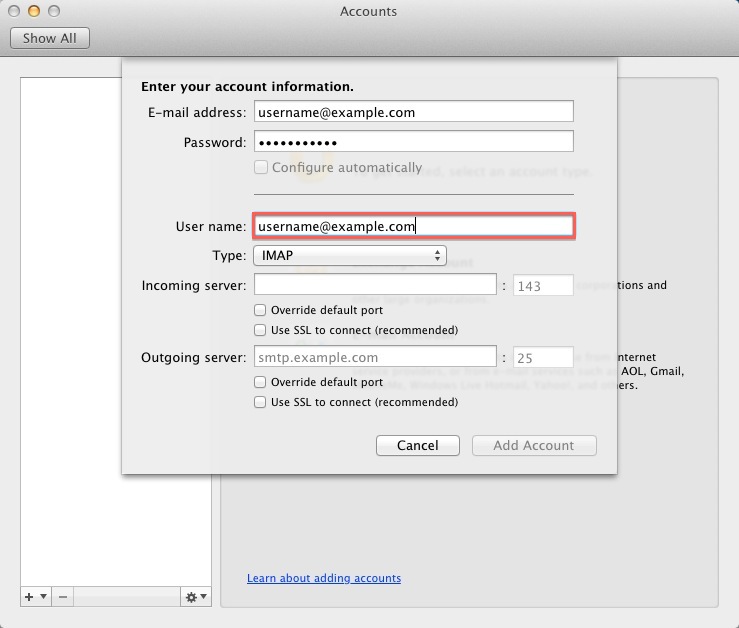
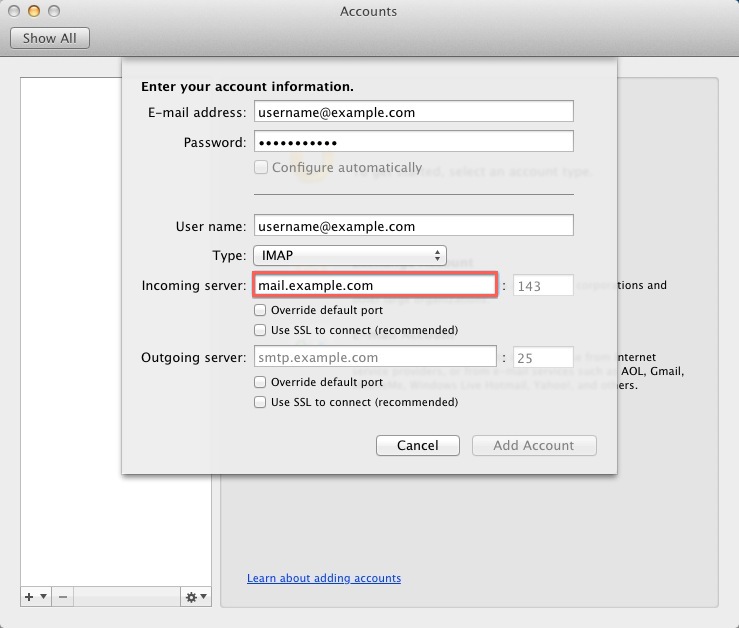
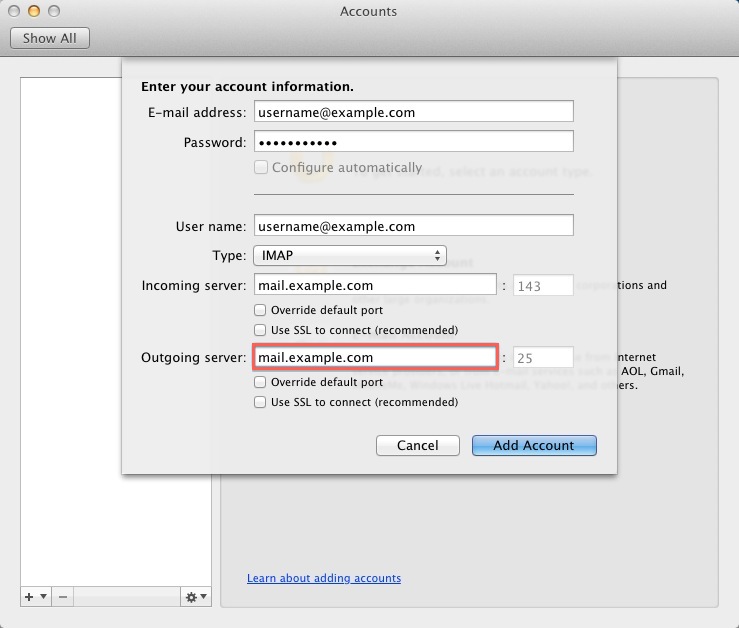
Note: You may need to check the box to "Override default port" and use port 26 instead of the default port 25.
How to enable SMTP Authentication
- Open the Tools menu
- Click Accounts
- Click E-mail Account
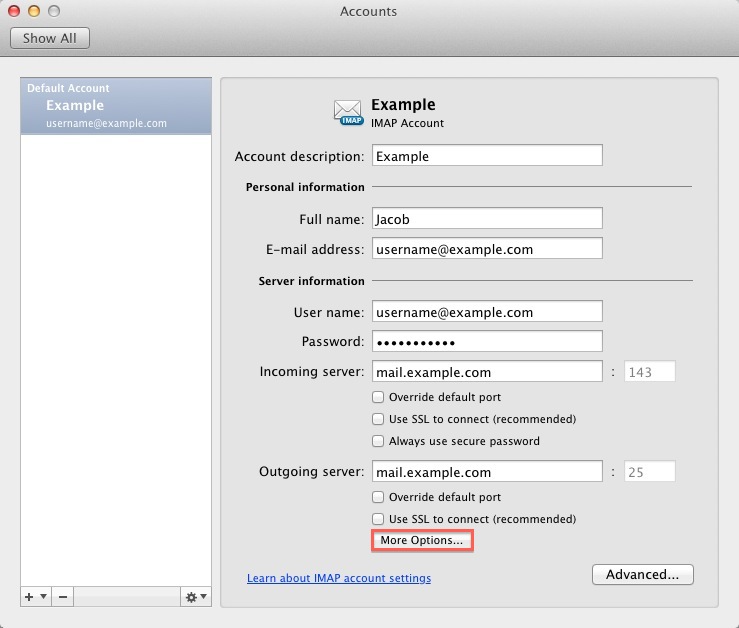
- Click the "More options..." button.
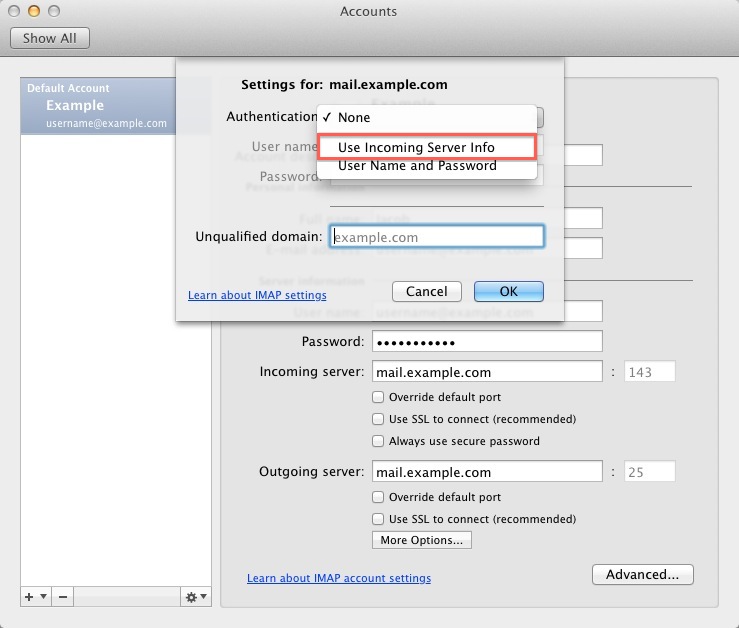
- From the Authenticationdrop-down menu and choose "Use Incoming Server Info"
- Click the Ok button.
Once the account has been created you will need to enable SMTP Authentication.
Knowledgebase Article
 37,341 views
 bookmark
 share
share
 tags: email emailclient outlook
(updated 252 days ago)
tags: email emailclient outlook
(updated 252 days ago)
37,341 views
bookmark
share
 E-mail
 Twitter
 Google Bookmarks
 Facebook
 MySpace
 Digg
Digg Reddit
 Delicious
 LinkedIn
 StumbleUpontags: email emailclient outlook
(updated 252 days ago)
StumbleUpontags: email emailclient outlook
(updated 252 days ago)
Recommended Help Content
How do I add my Just Host email account to Outlook 2002? (updated 559 days ago)
How do I add my Just Host email account to Outlook Express 6.0? (updated 559 days ago)
Microsoft Outlook supports third party plugins (aka add-ins) to allow for such things as email virus scanning. Such plugins can cause problems, such as causing Outlook to time-out when trying to retri (updated 1416 days ago)
Related Help Content
Configuring your email client: Outlook Express. (updated 198 days ago)
Knowledgebase Article
130,325 views
tags: configuration configure email express imap outlook pop setup
130,325 views
tags: configuration configure email express imap outlook pop setup
How to setup an email account using Microsoft Outlook 2013 (updated 91 days ago)
You can try sending the email on port 26, which is an alternate SMTP port and see if that works for you. For outlook: (updated 91 days ago)
How to setup an email account using Microsoft Outlook 2007 (updated 1 day ago)
How to setup an email account using Microsoft Outlook 2010 (updated 1 day ago)
How do I configure email accounts in Outlook 2000? (updated 1412 days ago)
Configuring your email client: Outlook 2003 (updated 1 day ago)
Configuring your email client: Thunderbird (Mozilla) (updated 254 days ago)