
Just Host Web Hosting Help
RoundCube
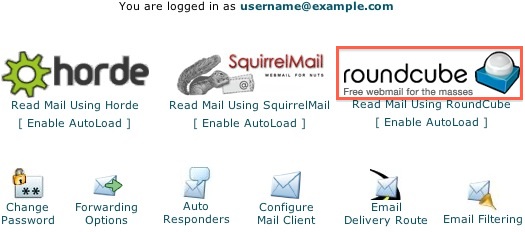
We provide several programs to be able to check your email online. The last of these is RoundCube.
- Click the RoundCube logo.
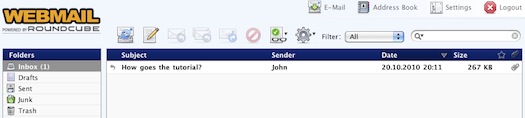
- This takes you to the main interface screen for RoundCube where your Inbox will be displayed. On the left are your email folders, by default, RoundCube will always show your inbox when you login.
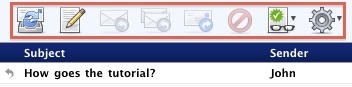
- The toolbar box contains icons which let you manage your email. Here you may check for new mail, compose new messages, reply to a message, forward a message, change the read status, Print the message and view the source.
Now, you can read the emails you've received.
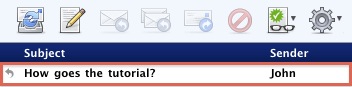
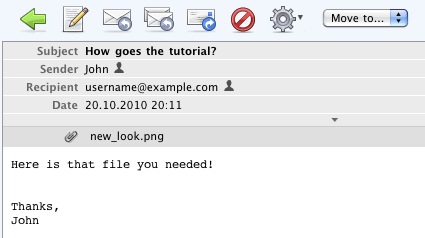
- Click on the message's subject.
- Your message is displayed with the options to reply, delete, print and move the email.
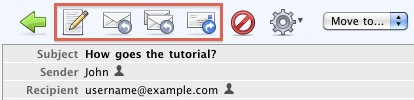
- These icons let you create a new email message, reply to the sender, reply to all recipients or forward the email.
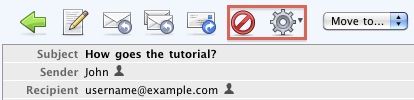
- These icons let you delete the email message, print it, or view its source code.
You are also able to send a new email.
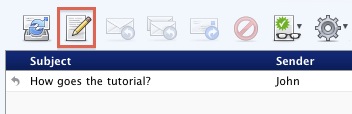
- To send a new email click the icon with the paper and pencil.
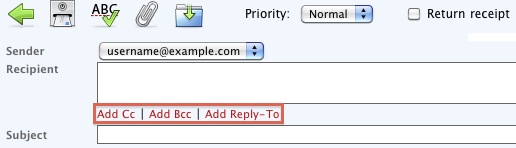
- You can send to multiple clients by separating email addresses with a comma. You may also add fields to send Carbon Copies, Blind Carbon Copies or Reply-To addresses.
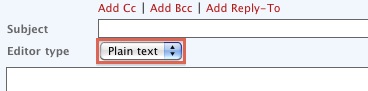
- The email can be composed in Plain text or HTML.
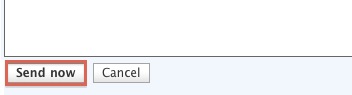
- Once your email is composed properly, click 'Send now'.
Your email has now been sent.
Getting Started Article
 85,717 views
 bookmark
 share
share
 tags: email message reply roundcube send
(updated 610 days ago)
tags: email message reply roundcube send
(updated 610 days ago)
85,717 views
bookmark
share
 E-mail
 Twitter
 Google Bookmarks
 Facebook
 MySpace
 Digg
Digg Reddit
 Delicious
 LinkedIn
 StumbleUpontags: email message reply roundcube send
(updated 610 days ago)
StumbleUpontags: email message reply roundcube send
(updated 610 days ago)
Recommended Help Content
. Click the SquirrelMail logo. This takes you to the main interface screen for SquirrelMail. Click 'INBOX' from the folders on the left. Now, you can read the emails you've received. Here is the place (updated 860 days ago)
. Select the 'Read Mail Using Horde' icon. Click the 'Log in' button. Select the 'Mail' icon. Now, you can read the emails you've received. Click on the sender or subject of the email. There are sever (updated 610 days ago)
You can use autoresponders to send a message back automatically to anyone who sends an email to a certain account. This can be useful for times when you are on vacation or unavailable, or if you have a generic message that you wish to send for a support email address. (updated 197 days ago)
Related Help Content
All of my email folders are missing. How can I get them to show up? (updated 987 days ago)
How to install RoundCube Webmail on your website. (updated 43 days ago)
Can I send an email with large files/attachments? (updated 596 days ago)
Knowledgebase Article
57,583 views
tags: attachment attachments email files large limit send sending
57,583 views
tags: attachment attachments email files large limit send sending
"503 valid RCPT command must precede DATA" (updated 399 days ago)
Trying to send out emails from multiple email accounts fail from both webmail and third party email clients. Possible Reasons: The maximum emails per hour has been exceeded. This can be caused by forw (updated 1043 days ago)
Instructions on how to resubscribe to the IMAP folders (updated 203 days ago)
Formmail from Matt's Script Archive will not send from an email address other than my main Just Host account. (updated 1087 days ago)