
Just Host Web Hosting Help
Horde
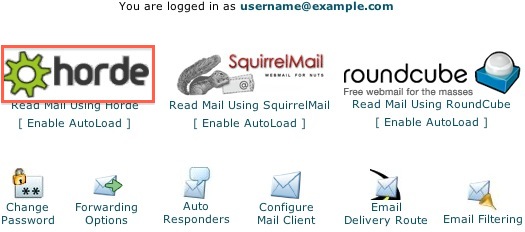
We provide several programs to be able to check your email online. The first of these is named Horde.
- Select the 'Read Mail Using Horde' icon.
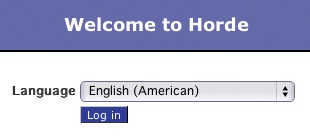
- Click the 'Log in' button.
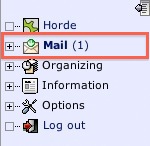
- Select the 'Mail' icon.
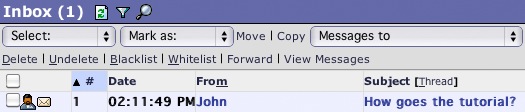
Now, you can read the emails you've received.
- Click on the sender or subject of the email.
- There are several options to delete, reply or forward the message.
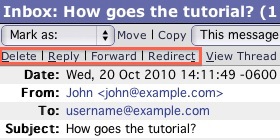
You are also able to send a new email.
- Select the 'New Message' icon.
- This screen allows you to enter the recipient, subject, and text of the message.

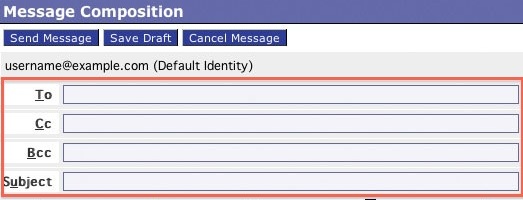
Fill in the appropriate fields and click 'Send Message' to send your email.
Getting Started Article
 76,367 views
 bookmark
 share
share
 tags: email icon message select send
(updated 611 days ago)
tags: email icon message select send
(updated 611 days ago)
76,367 views
bookmark
share
 E-mail
 Twitter
 Google Bookmarks
 Facebook
 MySpace
 Digg
Digg Reddit
 Delicious
 LinkedIn
 StumbleUpontags: email icon message select send
(updated 611 days ago)
StumbleUpontags: email icon message select send
(updated 611 days ago)
Recommended Help Content
. Click the SquirrelMail logo. This takes you to the main interface screen for SquirrelMail. Click 'INBOX' from the folders on the left. Now, you can read the emails you've received. Here is the place (updated 861 days ago)
We provide several programs to be able to check your email online. cPanel Mail section where Email Accounts icon is located Navigate to the Mail section inside cPanel. Click the Email Accounts icon. (updated 44 days ago)
You can use autoresponders to send a message back automatically to anyone who sends an email to a certain account. This can be useful for times when you are on vacation or unavailable, or if you have a generic message that you wish to send for a support email address. (updated 198 days ago)
Related Help Content
. Click the RoundCube logo. This takes you to the main interface screen for RoundCube where your Inbox will be displayed. On the left are your email folders, by default, RoundCube will always show you (updated 611 days ago)
Trying to send out emails from multiple email accounts fail from both webmail and third party email clients. Possible Reasons: The maximum emails per hour has been exceeded. This can be caused by forw (updated 1044 days ago)
Instructions for setting up Fetch Mail accounts in Horde (updated 210 days ago)
2003 for Windows. While it can be used for other versions of Outlook, some screens and steps might vary. Select the 'Tools' menu. Select Accounts. Click on the "Add a new E-mail account" op (updated 211 days ago)
My domain's MX records point elsewhere and I cannot send emails to my domain from the web. (updated 1267 days ago)
I send an email to one person and then do a carbon copy (Cc) to multiple other people. Not everyone is receiving the email, even when I try using blind carbon copy (Bcc). (updated 45 days ago)
Knowledgebase Article
53,829 views
tags: blind carbon carboncc copy email mail multiple partial people persons receive receiving
53,829 views
tags: blind carbon carboncc copy email mail multiple partial people persons receive receiving
There are a large number of emails or spam that need to be deleted from an email account. (updated 1417 days ago)
To setup an email address for your domain name is easily accomplished within the control panel (cPanel). Mail section where Email icon is located Navigate to the Mail section inside cPanel. Click the (updated 94 days ago)