
Just Host Web Hosting Help
Email Accounts - Add, Delete and Manage
Summary
This article will show you how to Add, Delete and Manage your Just Host email accounts.
- Create a new email account
- View current email accounts
- Delete email accounts
- Change quota of an email account
- Change the password of an email account
Log into your Just Host cPanel
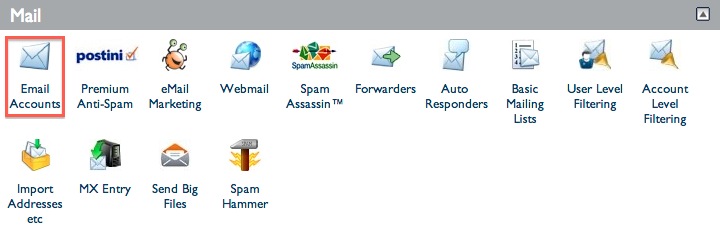
Open the Email Accounts tool, located in the Mail section of the cPanel.>/li>
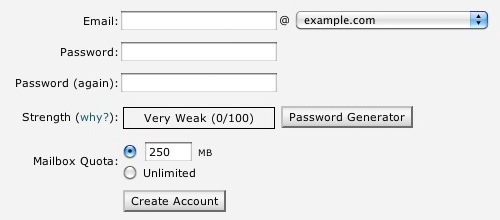
In the "Email:" text box type the User you would like to create an email address for.
In the "Password:" text box type the Password you would like this User to have.
The "Password Strength:" meter will tell if the password you have entered is strong enough. We highly recommend you use a strong password. For more information on this subject? Please see our Knowledgebase article on (Password Strength)
In the "Password (Again):" text box type the Same Password you used above to confirm that they are the same. If the passwords do not match please carefully retype the password into both boxes again.
The "Mailbox quota (optional):" text box is used to specify the amount of your overall hosting storage that will be allocated for that specific email account. The default that should be listed is 250 MB. You can increase or decrease this number as you desire.
Once the User, Password, and Quota are all accurate; simply click the "Create Account" button.
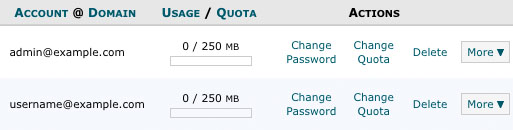
Click "Delete" to the right of the email account.
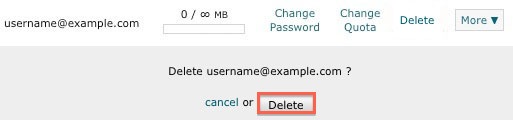
Click the "Delete" button to confirm that you would like to delete this email account.

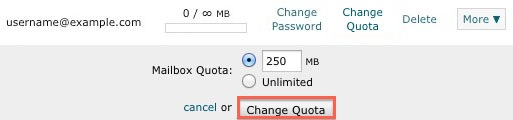
Click "Change Quota" to the right of the email account.
Enter the new quota for the email account.
Click the "Change Quota" button to confim the new quota.

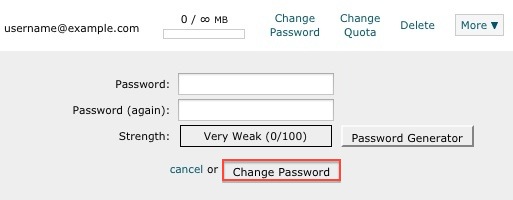
Click "Change Password" to the right of the email account.
Enter the new Password for the email account.
Click the "Change Password" button to change the password for the email account.

 174,361 views
 bookmark
 share
share
 E-mail
 Twitter
 Google Bookmarks
 Facebook
 MySpace
 Digg
Digg Reddit
 Delicious
 LinkedIn
 StumbleUpon
 tags: accounts add change client configure delete email imap macmail mail mailbox manage outlook password ports thunderbird
(updated 733 days ago)
tags: accounts add change client configure delete email imap macmail mail mailbox manage outlook password ports thunderbird
(updated 733 days ago)
Recommended Help Content
130,325 views
tags: configuration configure email express imap outlook pop setup